
Your code changes.Your documentation follows.
Smart Documentation writes documentation for every audience straight from your code, and updates it on every release. With up to 98% accuracy.
Smart Documentation reads your code, detects every flow and writes documentation for each audience, in the layout and tone you choose. It publishes to the tools you already use and updates on every release, automatically or on your call.
- 1Connect your code and documentation tool
- 2Smartdoxx detects every flow
- 3Your documentation is published and kept up to date
The right documentation for EVERY AUDIENCE
The same flow should not be explained the same way to everyone. Each audience gets documentation written for them.
End users
Clear, step-by-step guides that explain how to get things done, from the user's point of view.
Partners and customer success
Structured knowledge for implementing, supporting and onboarding customers correctly.
Analysts and developers
Functional descriptions and technical depth on how the product and its flows are built.
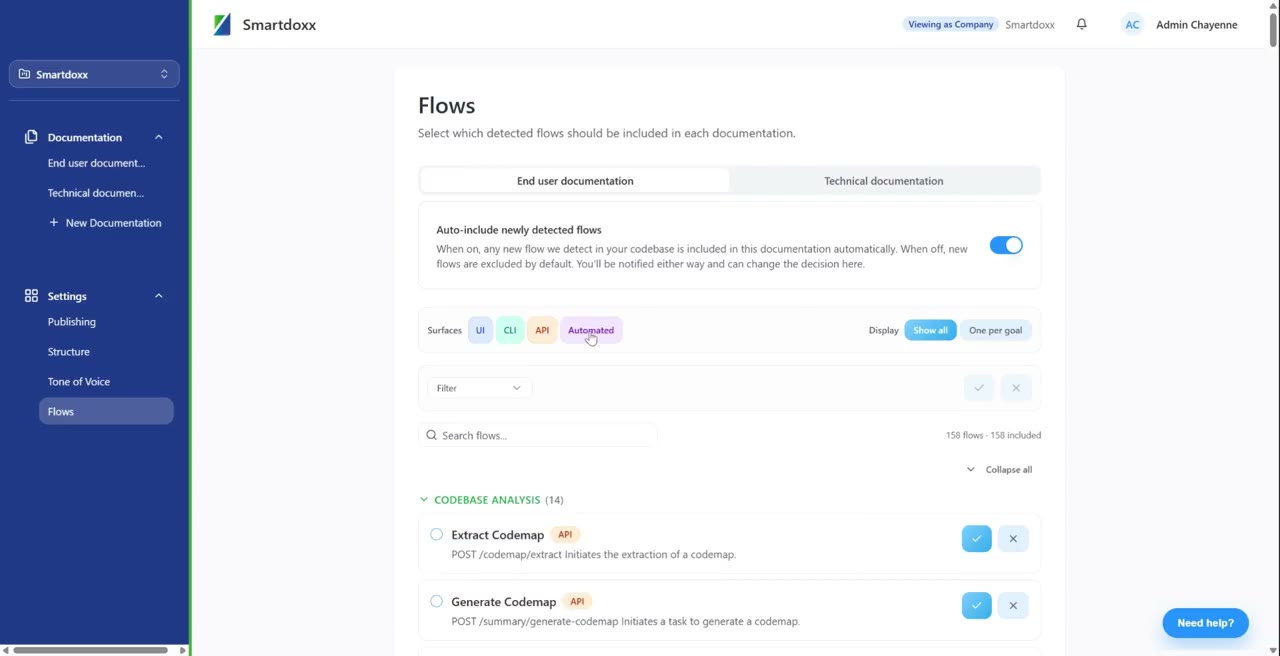
That detects every flow before writing a WORD
Instead of starting with a blank page, Smartdoxx starts by understanding what your software actually does.
- UI flows: journeys through screens and actions
- AI flows: where AI is part of your product
- Automated flows: processes that run by themselves
- CLI flows: command-line workflows
Structured and written in YOUR STYLE
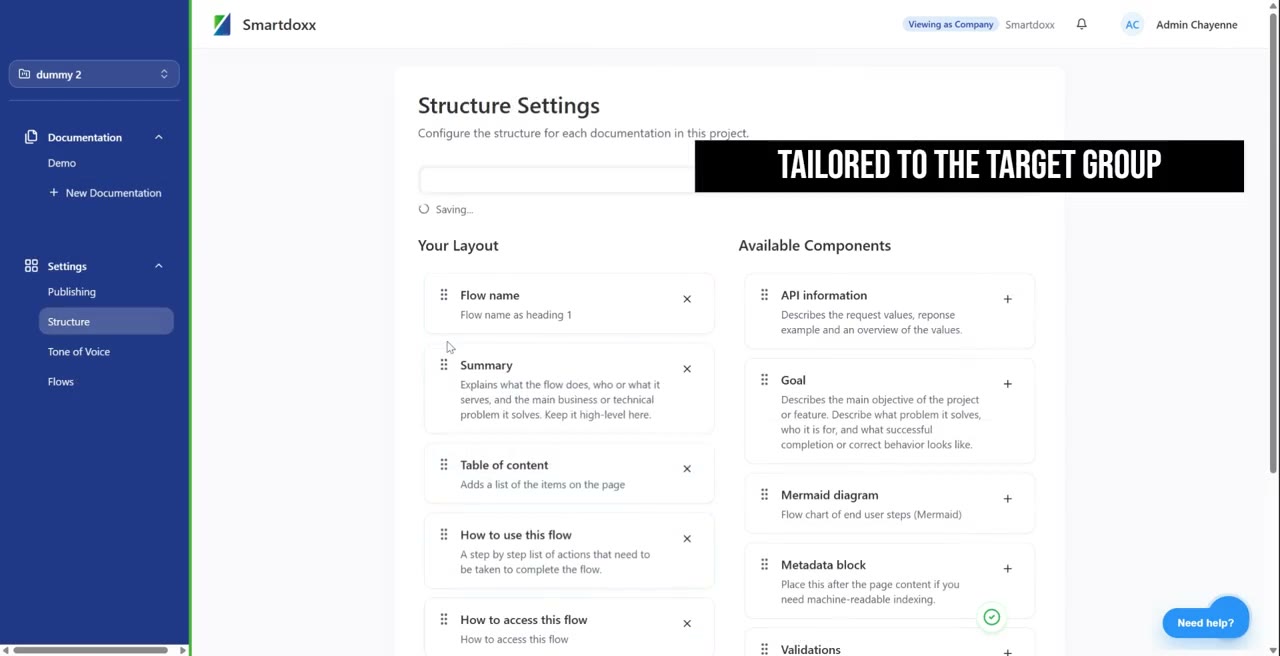
Choose the layout, sections and level of detail for each type of documentation, with one consistent tone of voice.
- Your own layout per documentation type
- Consistent terminology and tone of voice
- Diagrams for flows that are easier to see than read
- Published to Confluence, Notion, GitBook, SharePoint and more
Manual writing doesn't scale. AI writing alone doesn't SOLVE IT
Teams usually try one of two ways to fix documentation. Both solve part of the problem.
Manual documentation
- Competes with product work
- Updates are easy to forget
- Every audience doubles the work
DIY AI documentation
- Someone still provides the context
- One-off documents, not a maintained set
- No link to your releases
Smart Documentation
- Flows detected from your code
- Structured per audience
- Updated on every release
And usable EVERYWHERE
The same knowledge answers questions in your own AI tools through MCP, and guides users inside your product with Smart Guide.
QUESTIONS we often hear
Something else on your mind? We'll gladly walk you through it in a short call.
How accurate is the documentation?
Smart Documentation reaches up to 98% accuracy, because it is generated from your code instead of written from memory.
Which programming languages are supported?
Smartdoxx reads your code directly, so it is not tied to a specific language or framework: Python, JavaScript, TypeScript, Java, C#, PHP, Go, Ruby and more.
Where is the documentation published?
In the tools your teams already use: Confluence, Notion, GitBook, Azure DevOps Wiki, SharePoint, Google Drive or Smartviewer. For your code, Smartdoxx connects to GitHub, GitLab, Bitbucket and Azure DevOps.
Can we review documentation before it goes live?
Yes. Generating and publishing can each run automatically on every release, or wait for your team to review and approve.
What happens when we release a new version?
Smart Documentation picks up what changed: new flows are documented and features that are gone are removed.
How long does it take to get started?
Most teams are up and running in 7 business days. You connect your code and documentation tool, we configure the settings together, and your documentation is generated.
Is our code safe?
Access is read-only, data stays in the EU, your code is not retained and it is never used to train AI models.
Document every flow. Keep every version CURRENT
Discover in a 30-minute call how Smart Documentation keeps your documentation aligned with your code.